Features
- Open your door by double- or triple-tapping the back of your iPhone
Prerequisites
- A ButterflyMX account is required
- An iOS device – version 12 or later
- The latest ButterflyMX iOS app version – 1.76 or later
- Apple’s Shortcuts app must be installed on your device at all times
Context:
Your iPhone is constantly offering new ways to make life easier. Recently, a new feature has changed how we complete simple tasks: iPhone Back Tap. This feature enables you to create a shortcut and trigger actions by simply double- or triple-tapping the back of your phone. With ButterflyMX, you can enable this feature to make opening doors faster and easier by just tapping your phone, eliminating the need to open an app at your entrance.
Read this post to learn how to set up this feature for your ButterflyMX door.
Follow these instructions:
- Create a shortcut on your iPhone
-
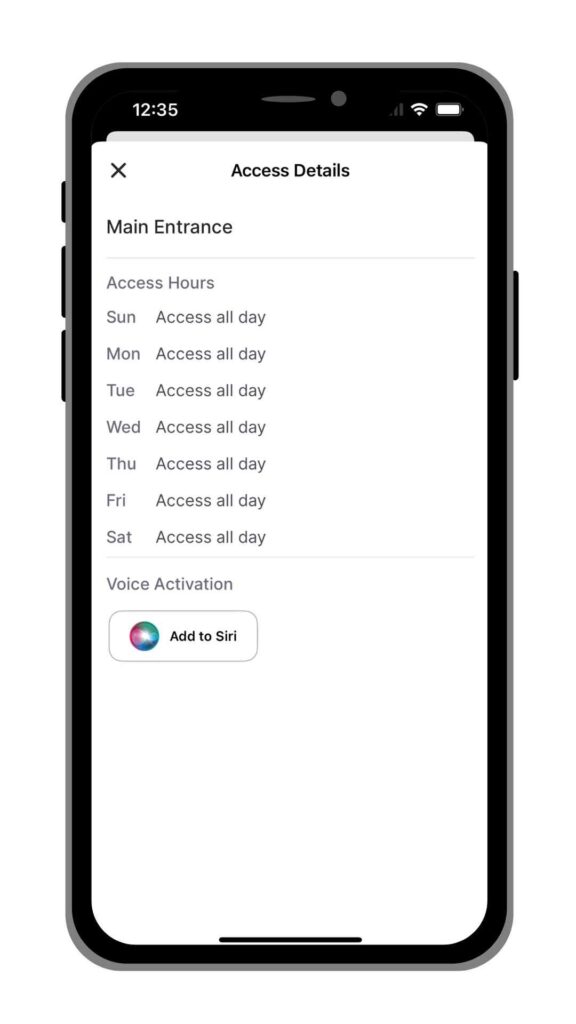
To begin setting up your iPhone Back Tap feature, you will need to create a shortcut on your iPhone. First, open the ButterflyMX mobile app on your iPhone and click on the door for which you’d like to create a shortcut. Then, tap ‘Add to Siri’ and select ‘Done.’
-
- Go to your iPhone settings
- Next, locate the accessibility tab within your iPhone’s settings. From there, find the “Touch” option.
-
Set up the “Back Tap” shortcut
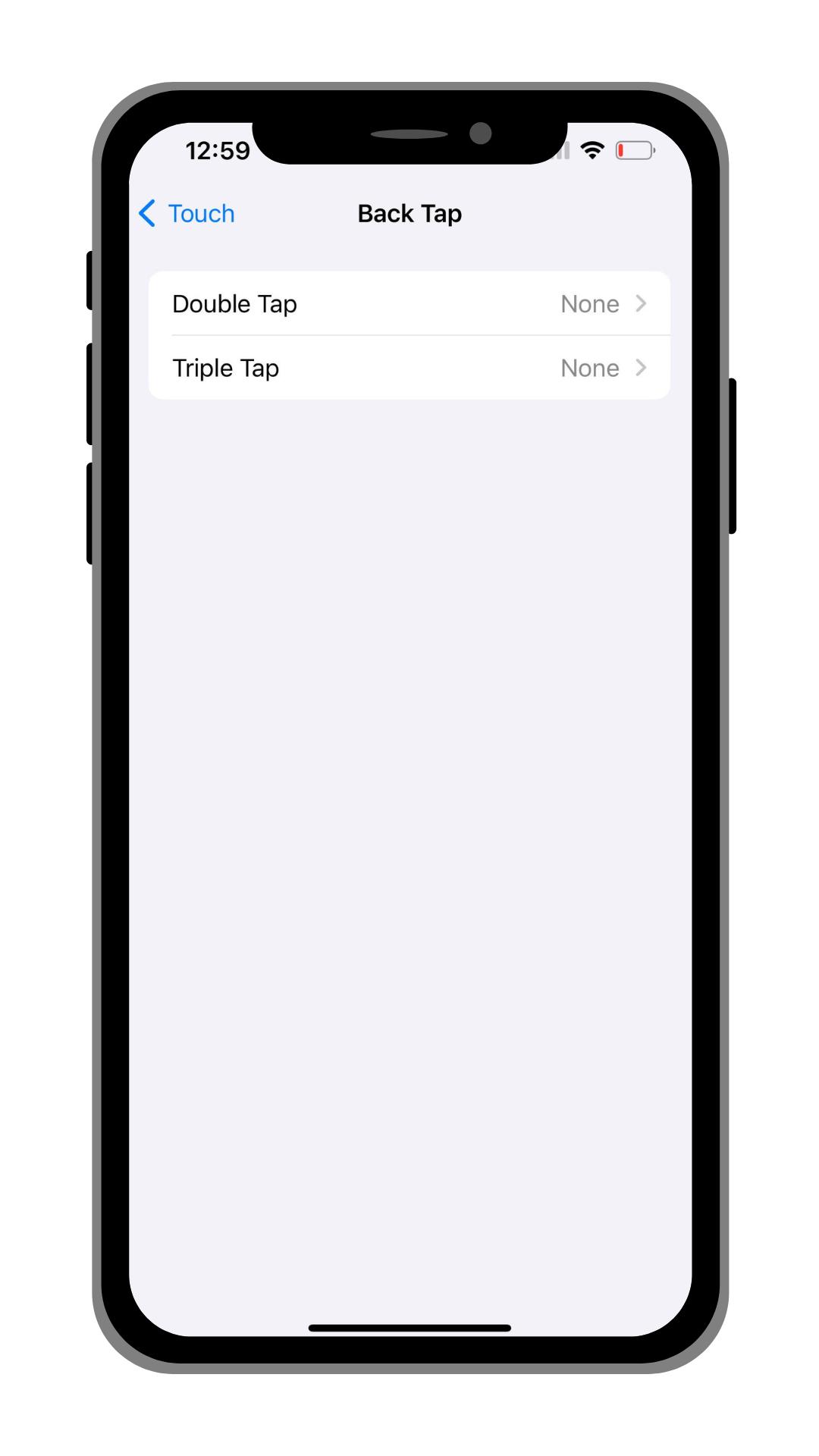
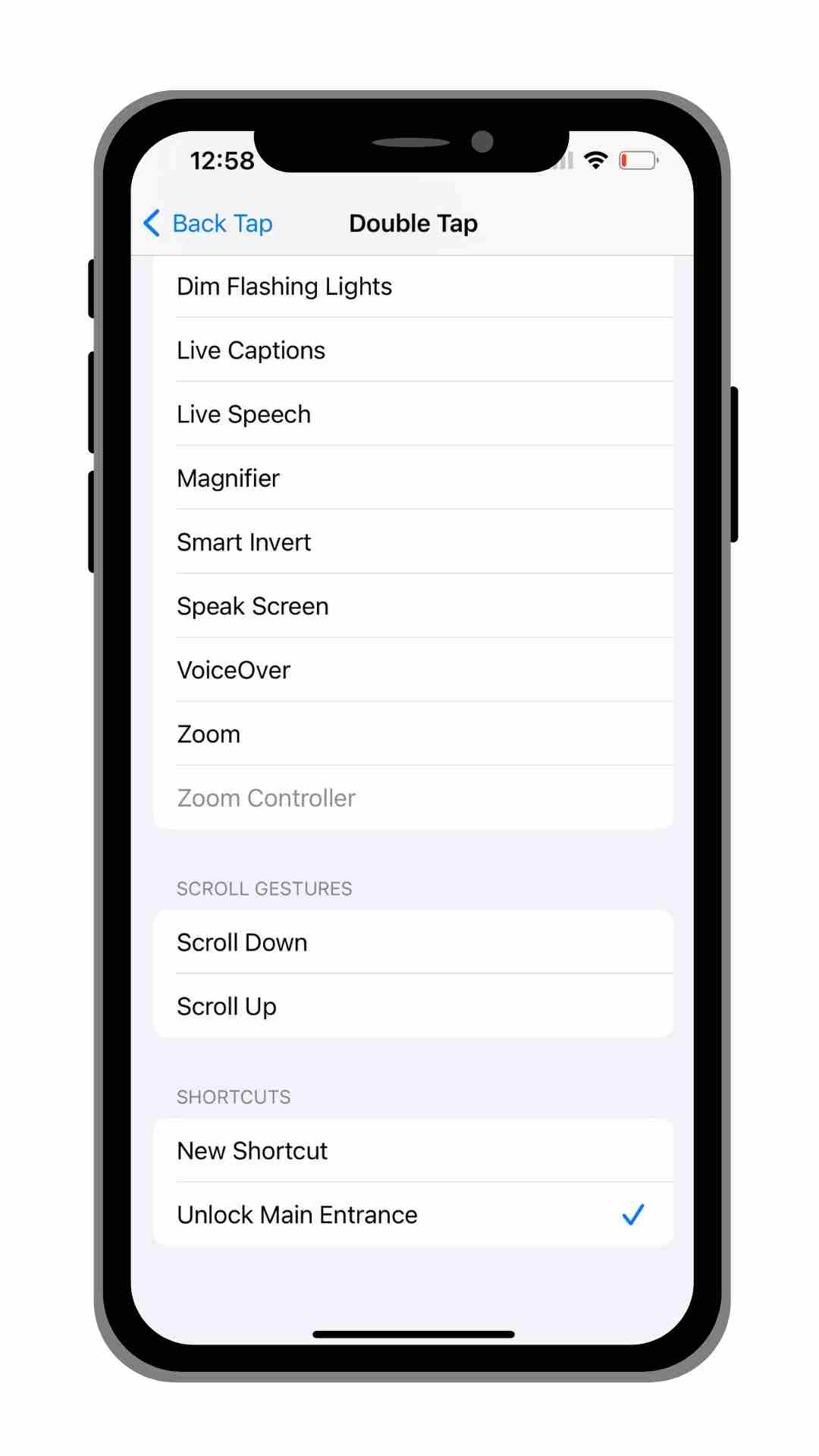
- Finally, select the “Back Tap” option at the bottom of the screen. Then, you’ll have the choice between a Double Tap or a Triple Tap preference. Select your preference and then scroll down to choose “Unlock Main Entrance” under shortcuts.
- Tap the back of your phone to open the door
- Depending on what you selected, gently tap the back of your phone 2 or 3 times consecutively using your pointer finger in order to unlock your ButterflyMX-enabled door.