Features
- View a time-and date-stamped history of your door opens and which method you or your visitor used to open the door.
Prerequisites
- You must have a ButterflyMX account
- You must have the ButterflyMX app on iOS or Android
Context:
Do you ever find yourself sitting at work wondering whether your dog walker came? Or if that UPS delivered that package you’ve been for?
In the ButterflyMX mobile app, you can see your door activity history, so instead of wondering, you can actually go in and see a log of your deliveries and visitors. You can view who opened the door and how (whether they called you through the directory, used a Visitor Pass, or a door PIN). Read below to learn how.
How to view your recent door activity:
- Open the ButterflyMX mobile app
- Open the ButterflyMX mobile app.
- Click the bell icon in the top right-hand corner
-
Click the bell icon in the top right-hand corner of the app screen.
-
- View your door activity history
-
View your recent activity.
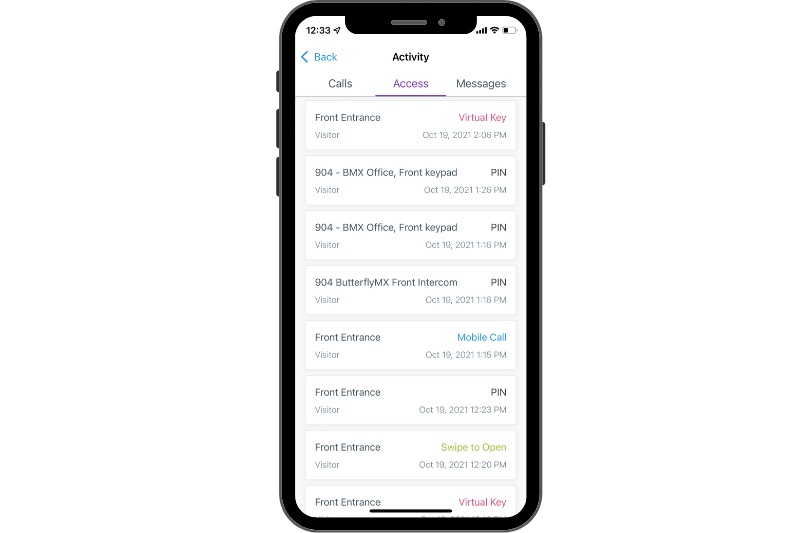
- This section provides a log of your recent door opens. The log indicates the date and time as well as which method you or your visitor used to open the door. If a visitor comes while you are gone, you can find any voice or text messages they left for you in the ‘Messages’ tab to the right.
-