Features
- Write a customized message for your visitors when they arrive at your building.
Prerequisites
- A ButterflyMX account is required.
- The ButterflyMX iOS mobile app is required.
When a visitor or delivery arrives at your building, they will search for your name on the ButterflyMX Video Intercom. When they find your name, you can write a message for them to read before they call you.
How to write a directory message
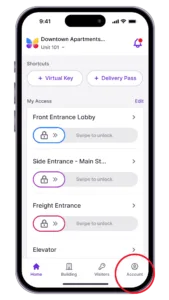
- Open the ButterflyMX app and hit ‘Account’
-
Open the ButterflyMX app and go to the account section.
-
- Scroll down to ‘Directory Message’ and hit ‘Not Defined’
-
Scroll down to where it says ‘Directory Message’. Hit where it says ‘Not Defined’.
-
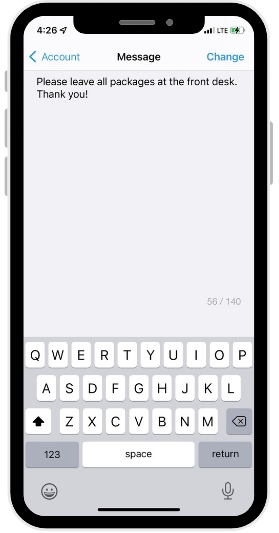
- Type the message you would like displayed on the intercom under your name
-
Type the message that you want a visitor or delivery person to read when they select your name. You can write a message of up to 140 characters.
-
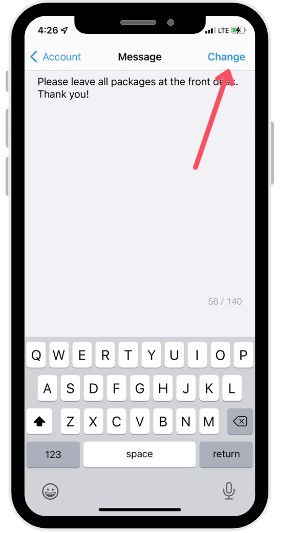
- Hit ‘Change’
-
Hit ‘Change’ in the top right corner. This won’t be permanent – you can change it at any time.
-
When your visitor arrives, they will see this message when they select your name.
If you’d prefer for your guests to not use the directory, you can provide them with a Visitor Pass.